
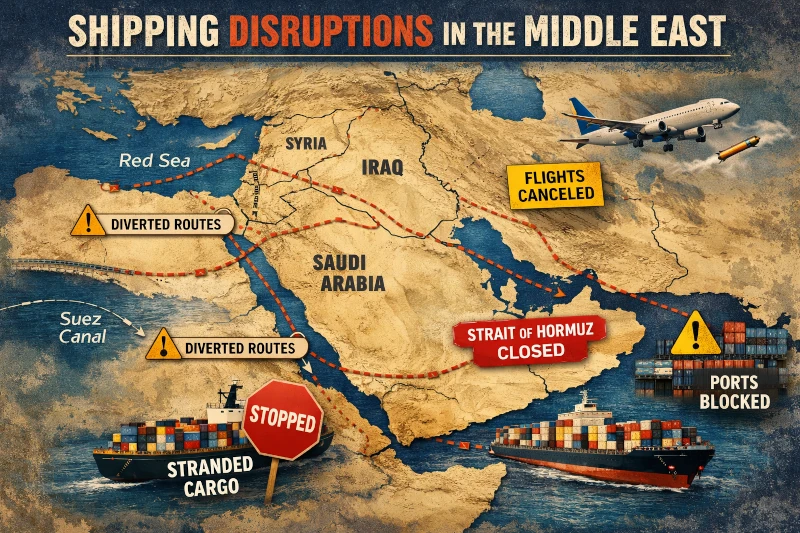
The ongoing war in the Middle East is creating real pressure on global shipping networks, and those disruptions are now affecting eCommerce sellers in a direct way. When airspace closures, port congestion, carrier rerouting, and emergency surcharges all hit at once, order deliveries become slower, more expensive, and less predictable. Major carriers have publicly acknowledged the disruption, including DHL’s Middle East crisis updates and the active UPS Middle East service alert
For eCommerce brands, this is not just a regional issue. It affects customer experience, margins, and fulfillment reliability. Even when a package can still move, it may take longer to arrive, cost significantly more to ship, or require premium-only delivery options that make the order less worthwhile for both seller and customer. DHL says the region is facing continued operational volatility, and UPS says its service guarantee does not apply to shipments affected by the disruption.
At Apliiq, we want sellers to take a practical approach, to avoid this conflict zone. According to the current Apliiq Production Status page, orders shipping to Armenia, Bahrain, Eritrea, Iran, Iraq, Israel, Kuwait, Pakistan, Qatar, Seychelles, Syria, United Arab Emirates, Jordan, Saudi Arabia, and Lebanon are currently subject to a $30 surcharge. Apliiq also notes that most standard shipping services are suspended for these destinations, with only the most expensive options still available, and recommends removing these countries from your store shipping profiles for now.
What eCommerce sellers should do right now
The best move is simple: avoid selling into conflict zones! Review your shipping setup and temporarily remove affected countries from the parts of your store where customers can still place orders. This helps reduce failed delivery expectations, surprise shipping charges, and support headaches after purchase. Apliiq’s recommendation is straightforward, and sellers can continue monitoring updates on the Apliiq Production Status page.
For activism-driven brands, this does not have to mean stepping back from your message. Instead, we recommend focusing your marketing on diaspora audiences — supporters who want to raise awareness, show solidarity, and contribute to the cause, while also living in locations that remain accessible for normal eCommerce delivery.
This approach helps brands stay active, relevant, and mission-aligned while avoiding the operational problems that come with shipping into highly disrupted regions. Rather than pushing campaigns into destinations with surcharges, delays, or suspended services, sellers can direct their efforts toward customers who are still reachable through reliable fulfillment.
The good news is that this update only takes a few moments. A quick review of your shipping profiles now can help prevent expensive surprises and create a better experience for your customers.
How Shopify sellers can review their shipping profiles
If your store runs on Shopify, you can usually review this in just a minute or two.
First, go to Settings in your Shopify admin, then click Shipping and delivery. From there, open the shipping profile you want to review. Shopify defines a shipping profile as a group of shipping rules for specific products and locations, and it lets you manage shipping zones and rates for those products.
Next, look at the shipping zones attached to that profile. Review the countries currently included in your international shipping setup and identify any destinations Apliiq has flagged as high-risk or temporarily not worthwhile to serve. Shopify’s official help page on shipping profiles explains how these profiles control destination-based shipping rules.
Then, remove the affected countries from the relevant shipping zones or profiles so customers in those locations can no longer check out with unsupported delivery options. Once saved, your store will stop offering shipping to those destinations under that profile. Shopify’s documentation confirms that shipping profiles are where merchants configure shipping zones and rates by location.
Finally, double-check any custom international profiles you may have created, especially if you separate products, regions, or warehouse locations. If you use multiple shipping profiles, make sure the affected countries are removed anywhere they still appear. This is a fast review, and it is worth doing now before an expensive or delayed order slips through.