
Building custom products just got super easy
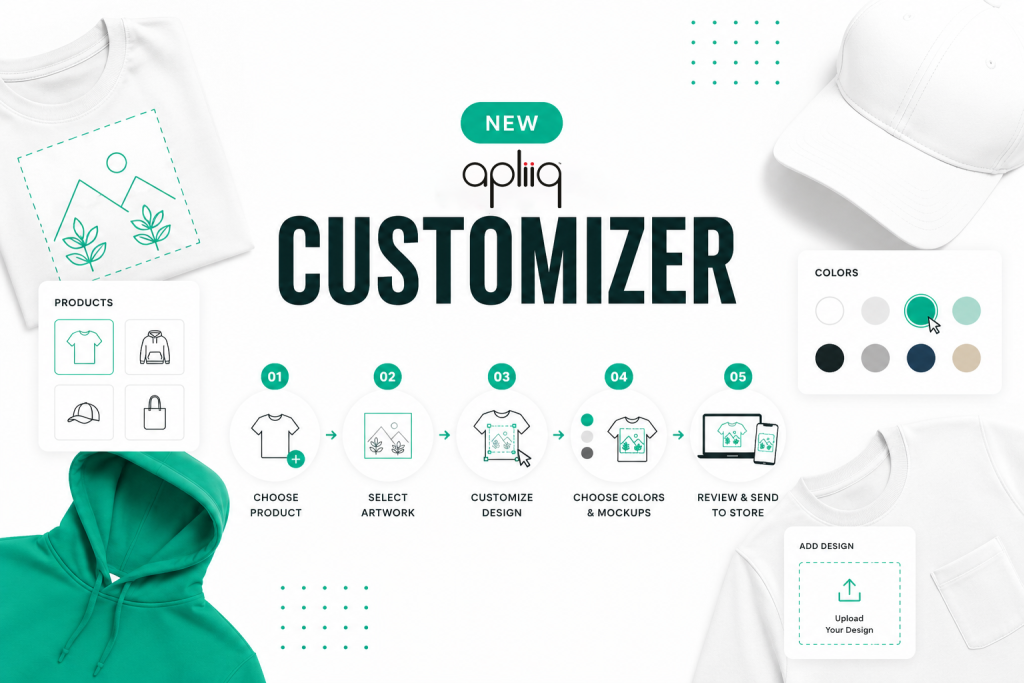
If you’ve ever set up a product on Apliiq and thought, “there has GOT to be a faster way to do this” – congrats, you’re psychic. We heard you. We built the Customizer from the ground up, and it’s faster, smarter, and honestly kind of fun to use now.
What’s in the Apliiq Customizer?
Apliiq believes in great ideas and helping you bring them to life with retail-ready apparel, made on demand. Our new customizer improves your artwork and online design experience to make it faster & easier to set up products.
Let’s walk through what’s new. 👇
You can now:
- Select from existing artwork in your Apliiq account
- Use digitized artwork without paying the digitization fee again
- Add text using fonts from your computer
- Recolor & stroke artwork instantly
- Choose mockups before generating them
- Add unlimited product colors
- Build products in a cleaner, easier interface
Let’s get into what each one actually does for you –
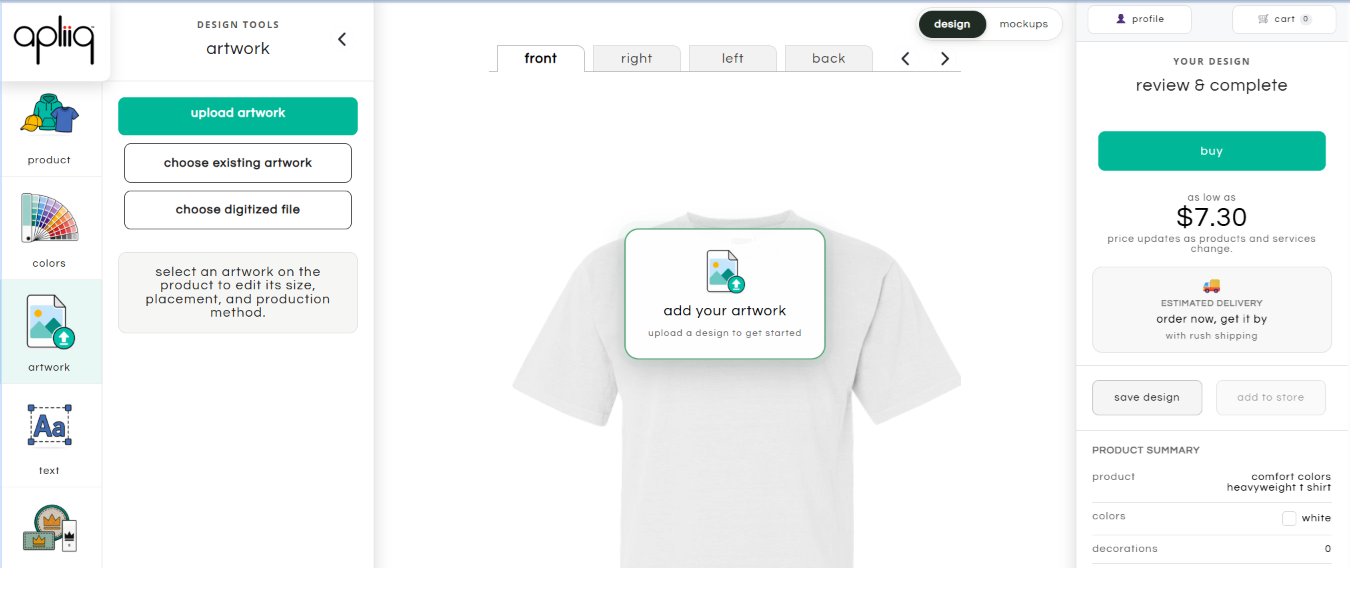
1. Pick From Your Existing Artwork – In Seconds 🖼️
Already have a design in your Apliiq account? You don’t need to upload it again. Just pick it from your existing artwork and keep building. This is especially handy when you’re turning one solid design into a whole product line; the same graphic can move from a tee to a hoodie, sweatshirt, hat, or anything else compatible, without redoing the work each time.
2. Select Digitized Artwork Without the Extra Fee🧵
Working with embroidery? Select your existing digitized artwork right in the Customizer, and the digitization fee gets waived automatically. No re-paying to prep the same design twice. That makes it a lot easier to expand an embroidered design across products, or just test a new combination without a repeat charge.
3. Add Text, Any Font You’ve Got ✍️
Your brand has a typeface for a reason. The Add Text tool now lets you pull a font straight from your own computer, instead of picking from a generic list. Small feature, but it keeps your designs on-brand as your catalog grows.
4. Recolor Artwork Instantly 🎨
Used to be, testing a graphic in a new colorway meant going back into a separate design tool, redoing the work, and re-uploading. Not anymore: recolor and adjust stroke directly inside the Customizer and watch it update in real time.
5. Pick Your Mockups Before You Generate Them 📸
Mockups aren’t just a nice-to-have; they’re basically your storefront’s first impression. The new Customizer flips the old process around: instead of generating a big batch of mockups and digging through them afterward, you choose exactly which ones you want before they’re generated. Less clutter, more control, and a product page that actually looks intentional.
6. Add Unlimited Product Colors 🌈
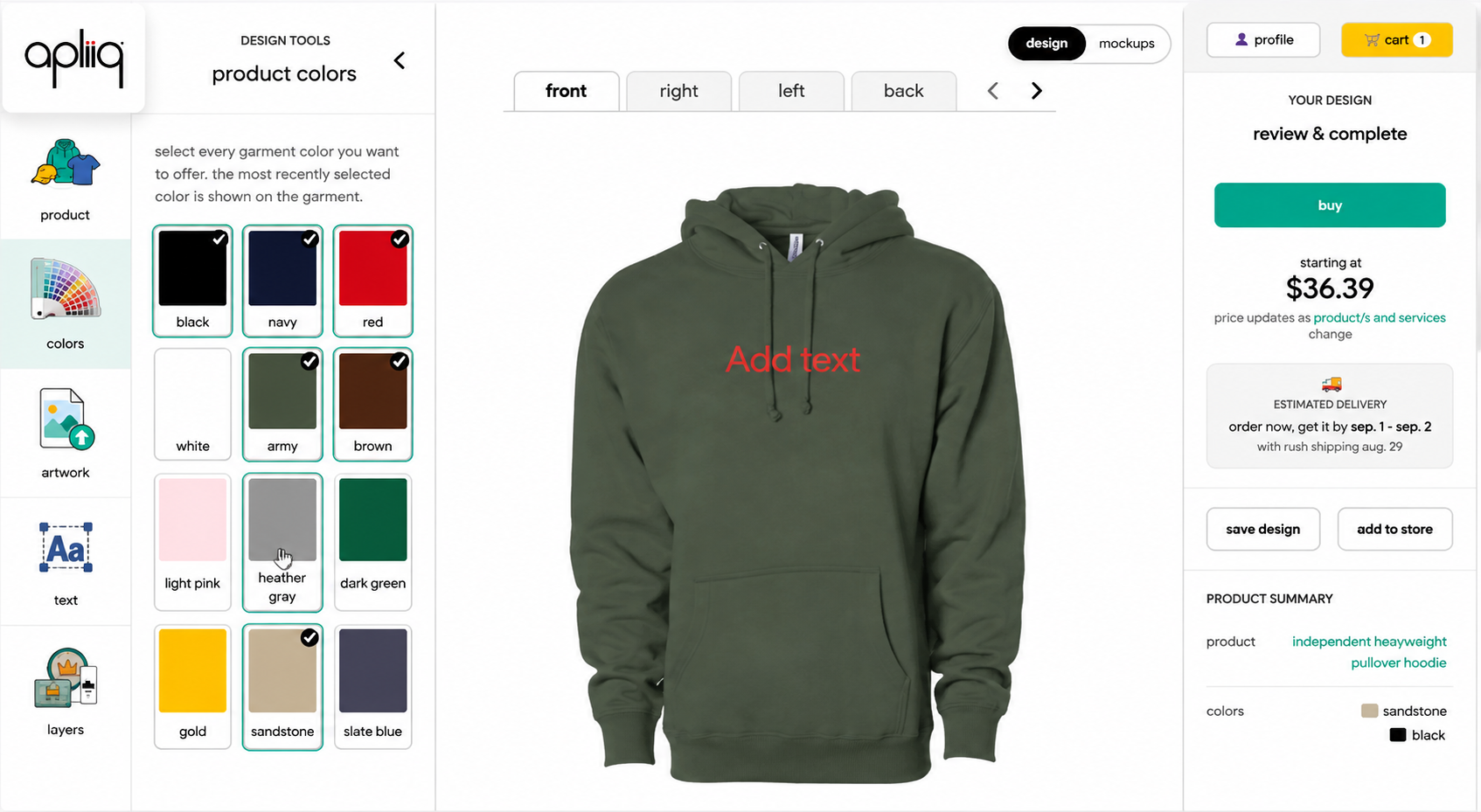
Want your bestseller in every color your customers could ask for? Now you can – there’s no cap on how many product colors you add. Build out a full range without recreating your design from zero for each option.
A Faster Way to Build Your Next Product
If you already have artwork, that’s your starting line. Pick the product, select your artwork, make any tweaks, choose your colors and mockups, give it a final review, and send it off to your store. Same basic process as before – just with a whole lot less friction along the way.
Build your next product with less repetition and more control. Explore Apliiq’s print-on-demand platform or browse the Apliiq product catalog to find a product for your next design.
A New Interface That Gets Out of the Way
On top of all the new features, we gave the entire interface a glow-up – cleaner layout, clearer steps, way less clicking around to find what you need. The new Customizer is live; head to your dashboard and start building. Once you try it, going back to the old way is going to feel like using dial-up.
New to the new Customizer? Here’s how to turn it on – it only takes one toggle, and your preference is remembered for every product after that.
FAQs
What is the Apliiq Customizer?
The Apliiq Customizer is the product design tool used to create and configure custom print-on-demand products. You can select products, add artwork, adjust designs, choose colors, preview products, and prepare products for your store.
Can I use artwork I already have in Apliiq?
Yes. The new Customizer lets you select from existing artwork instead of uploading the same design again.
Is the digitization fee charged when I select existing digitized artwork?
No. When you select an artwork that has already been digitized, the digitization fee is automatically waived.
Can I use my own font in the Apliiq Customizer?
Yes. The new Add Text tool allows you to select fonts stored on your local computer.
Can I change the color of my artwork?
Yes. The new Recolor Artwork feature lets you quickly test different artwork colors directly in the Customizer.
How many product colors can I add?
The new Customizer allows you to add unlimited product colors to your product setup.
Can I choose which mockups are generated?
Yes. You can select your preferred mockups before generation, giving you more control over the product images you use for your store.
Can I publish Apliiq products to my online store?
Yes. Apliiq supports connected ecommerce workflows, including Shopify and WooCommerce so that you can push products created in Apliiq to your store.